Infostealer-compromised machine analysis
Every infostealer leak tied to the machine that produced it: timeline, still-active sessions and impacted domains, in the cockpit, the list and the API.
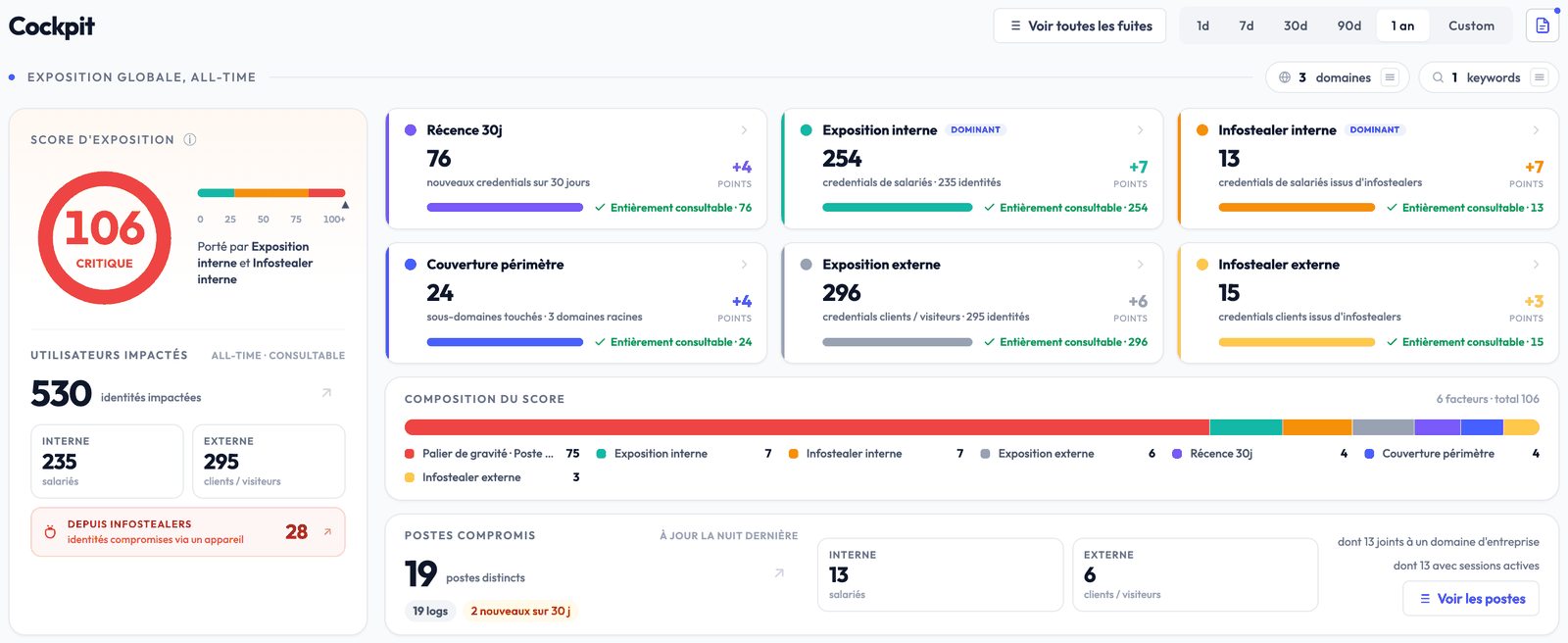
A credential stolen by an infostealer never travels alone. The infected machine usually leaked dozens of other accounts, session cookies that still work and a trace of everything installed on it. Until now Stealed showed you those credentials one by one. Infostealer-compromised machine analysis ties them to the machine that produced them.
In your cockpit
A new indicator counts the distinct compromised machines linked to your domains: your employees’ and those of your customers or visitors, the new ones over 30 days, the ones joined to a corporate domain and the ones with a session still active. Copies of the same log, resold or collected again, are grouped: a machine is counted once.
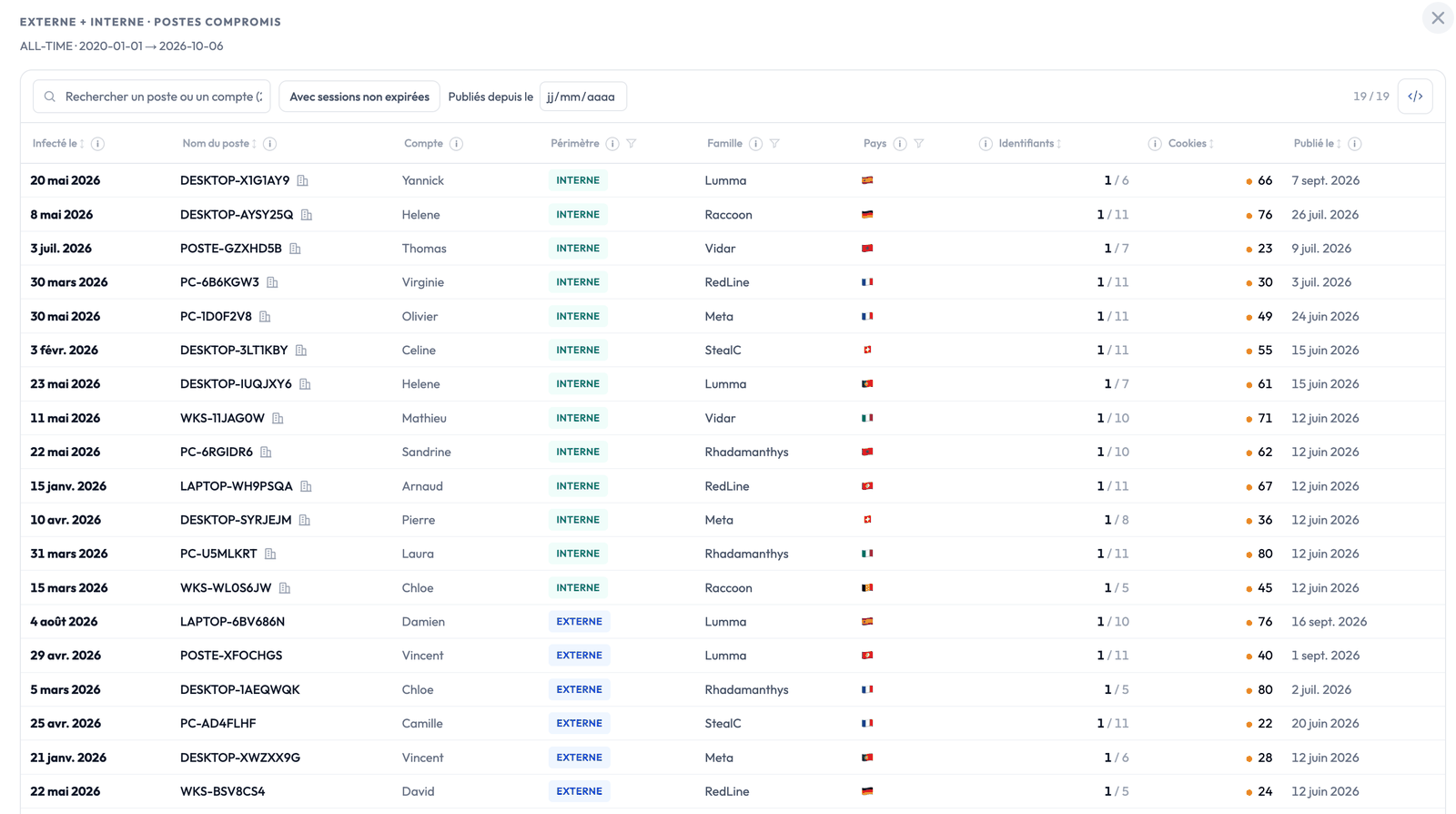
The machine list
All your compromised machines on one page, internal first, sortable by infection or publication date, filterable by scope, infostealer family, country, publication date and unexpired sessions. A row opens the machine sheet.
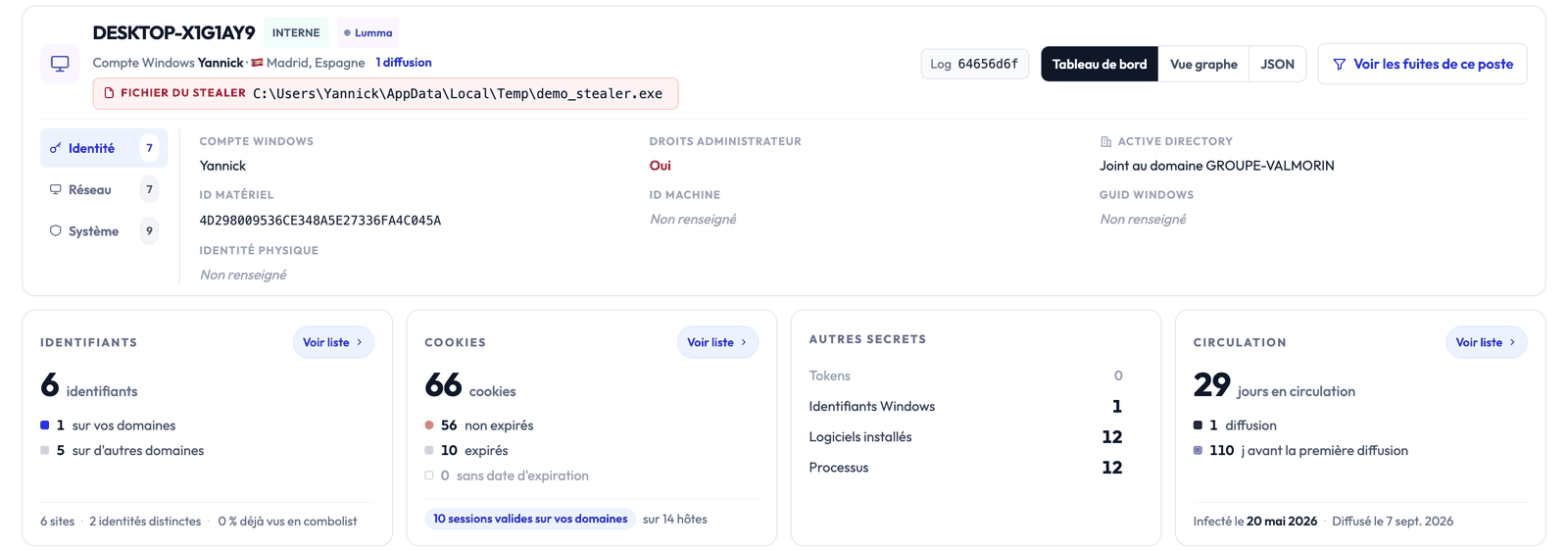
The machine sheet
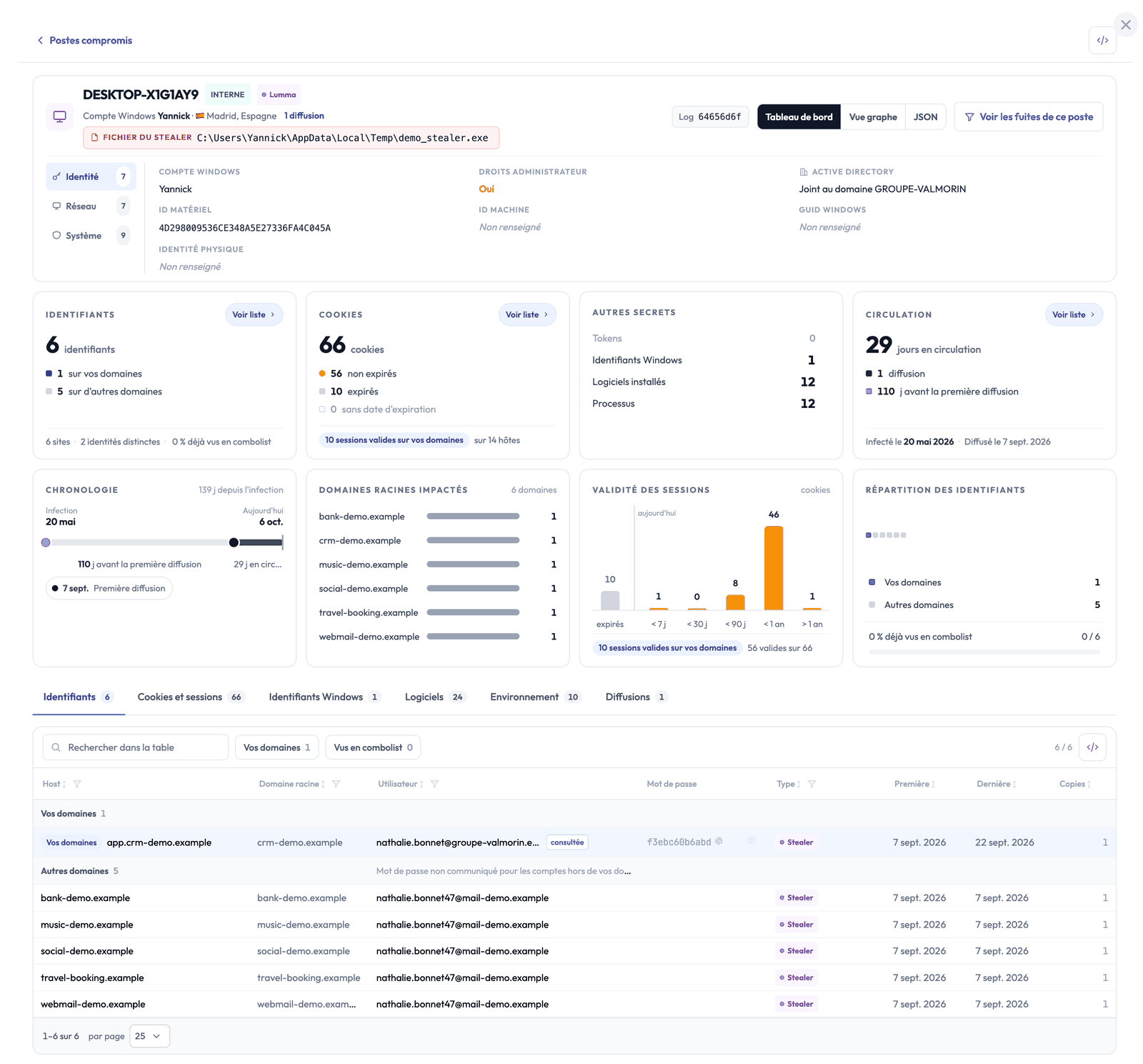
Every machine has its sheet: its identity (Windows account, administrator rights, Active Directory domain, hardware identifiers), then everything its log holds, section by section.
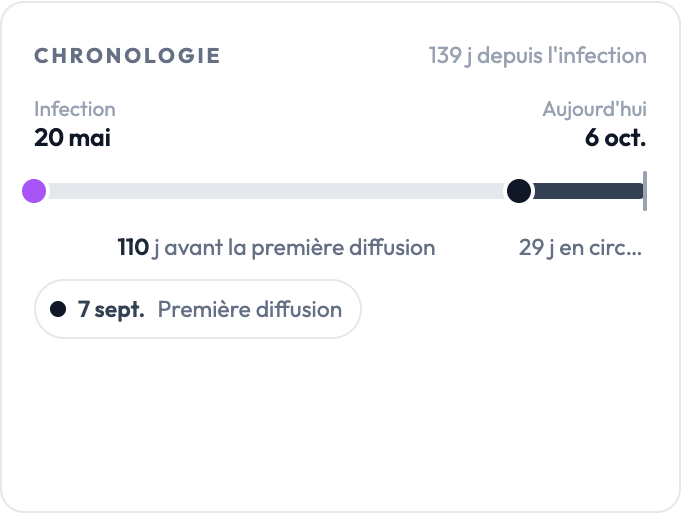
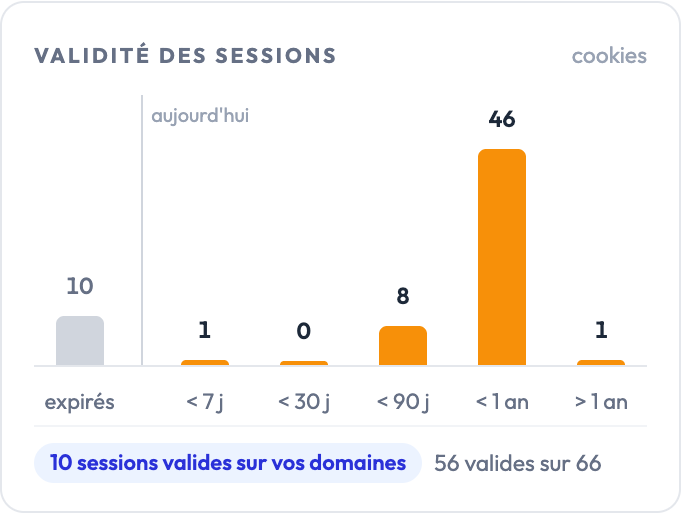
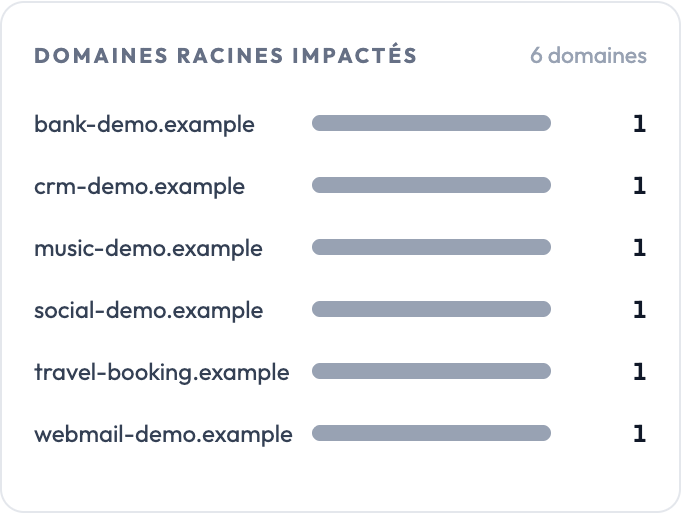
Everything the log holds
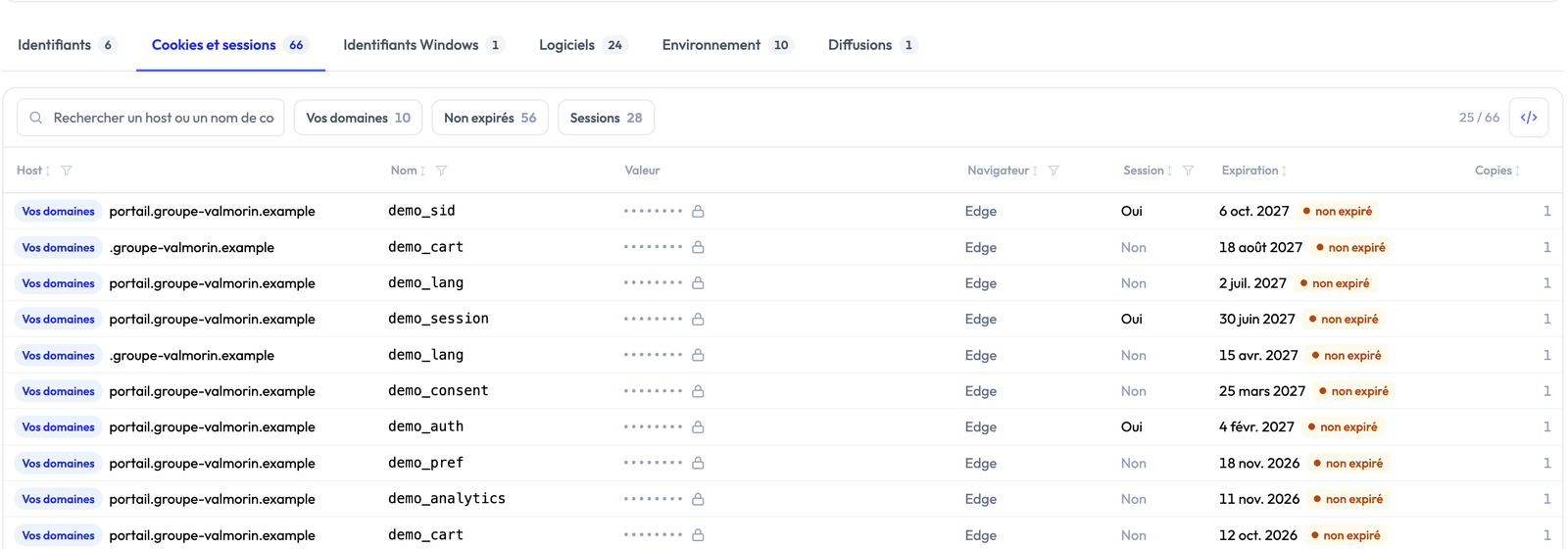
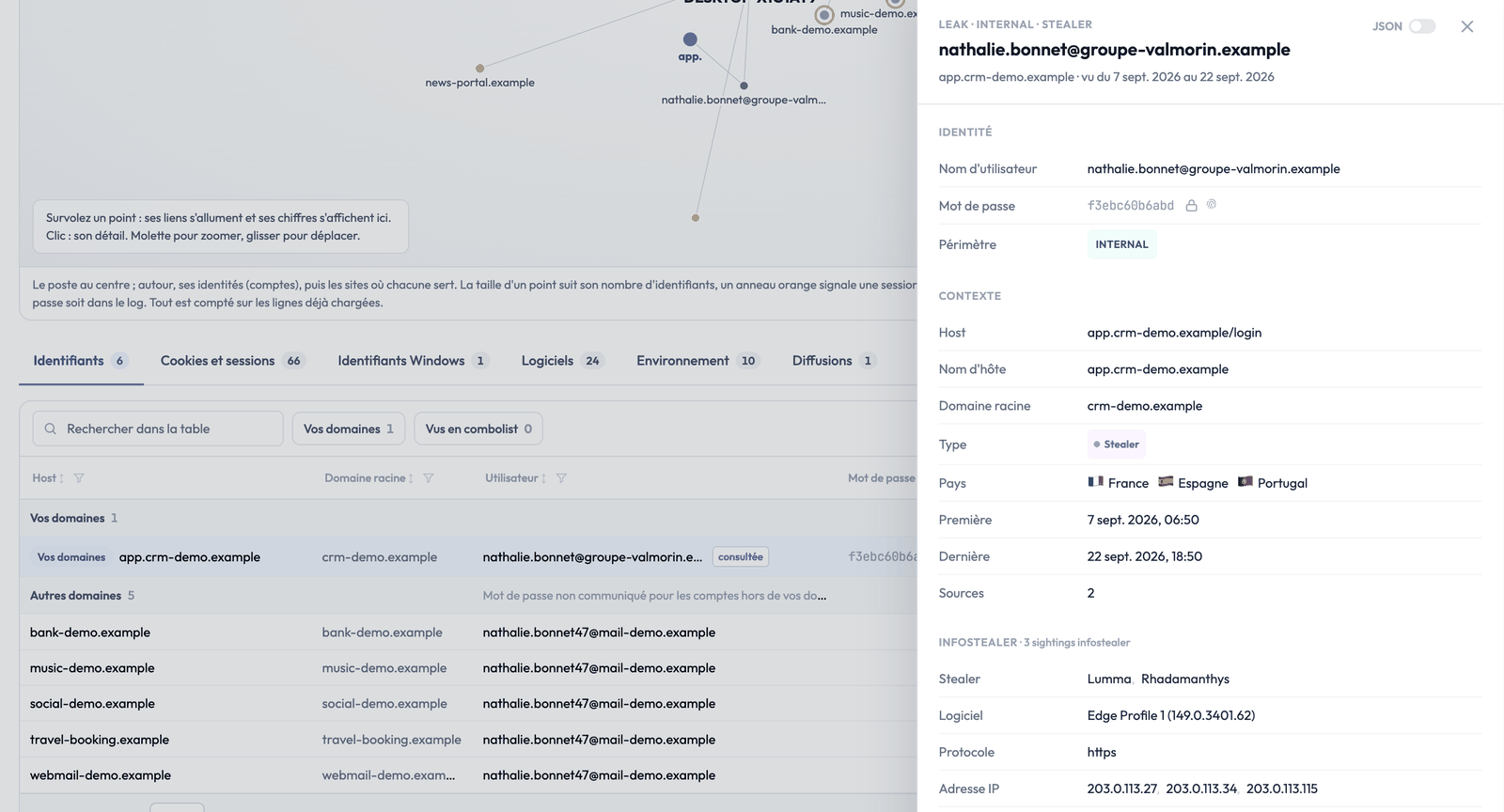
Below the sheet, every section of the log has its table: credentials, cookies and sessions, Windows credentials, installed software, machine environment and releases. Passwords and cookie values stay masked, and for accounts outside your domains the password is never disclosed.
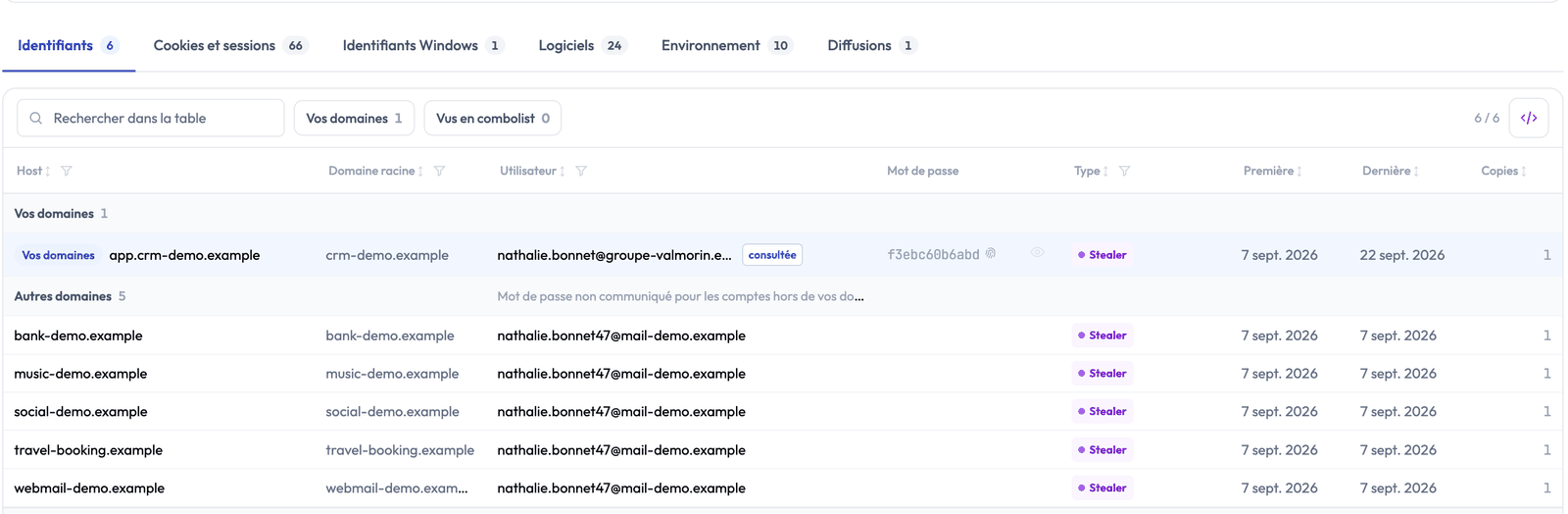
One click on a row opens the leak detail without leaving the machine.
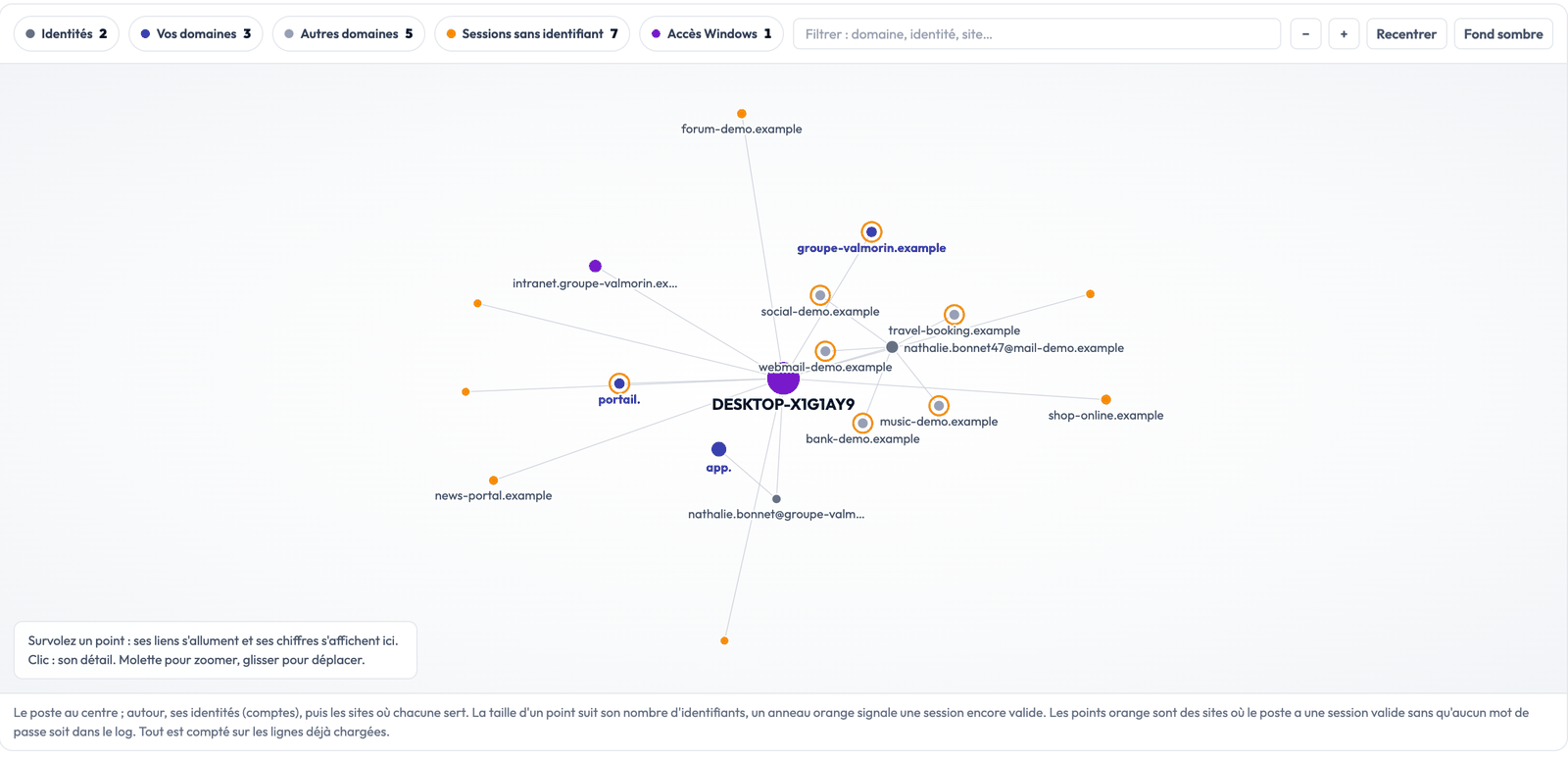
The graph view
The same sheet, drawn: the machine in the centre, its identities around it, then the sites where each one is used. An orange ring flags a session that is still valid. Hover a point to light up its links, click it for its detail.
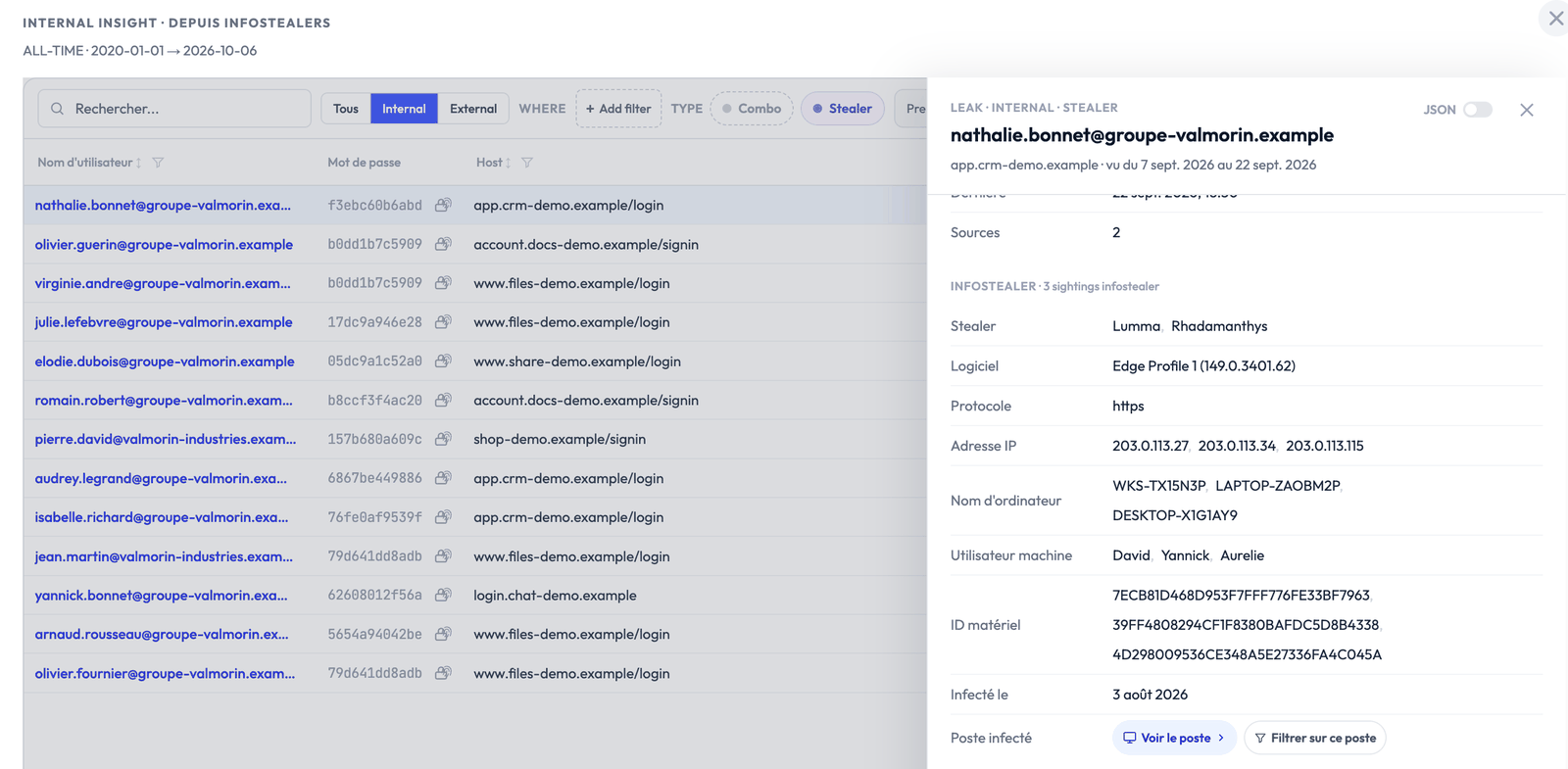
From a leak to the machine, and back
In your leak lists, the detail of a credential stolen by an infostealer now shows the infected machine: “View the machine” opens its sheet, “Filter on this machine” keeps only its leaks. From the sheet, “View this machine’s leaks” goes the other way.
Through the API
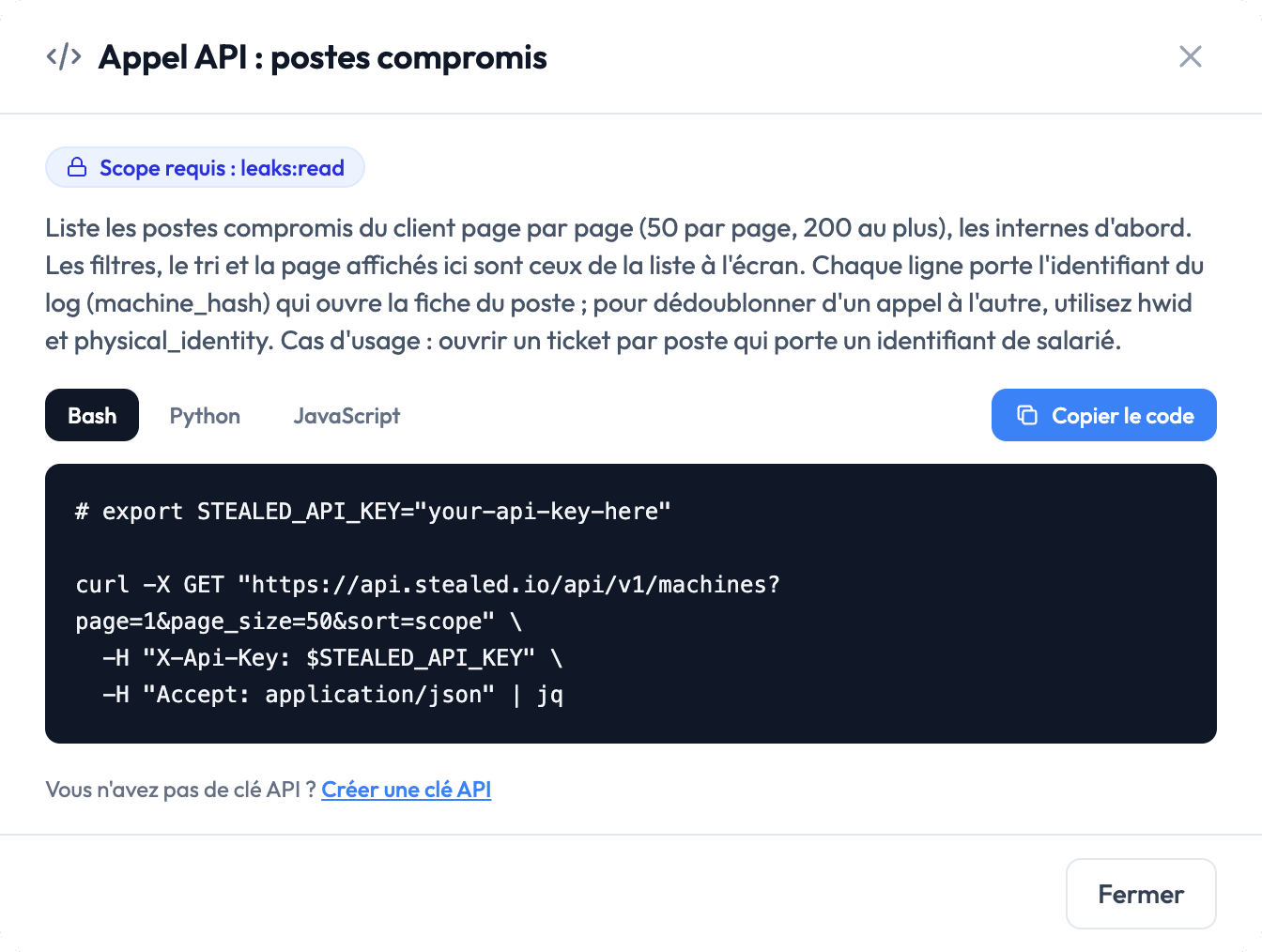
Compromised machines and their sheets are available through the API to feed your tools (SIEM, ticketing, reports), for instance to open a ticket for each machine holding an employee credential. Every view shows the matching call, ready to copy in Bash, Python or JavaScript. Secrets never leave through the API.
Your data stays protected
Passwords and cookies are masked by default. They are revealed on demand only, one at a time, and every reveal is logged. No password is ever shown for an account outside your domains.
Availability
The module is already enabled in your workspace, nothing to request: open your cockpit, the Compromised machines block is waiting for you there.
The screenshots on this page come from a demo workspace: companies, domains, machines and accounts are fictional.