The cockpit, reinvented: who, where, how, when
A rebuilt cockpit, nine automatic categories, filters that combine, assets by keyword and IP range, alerts by category.
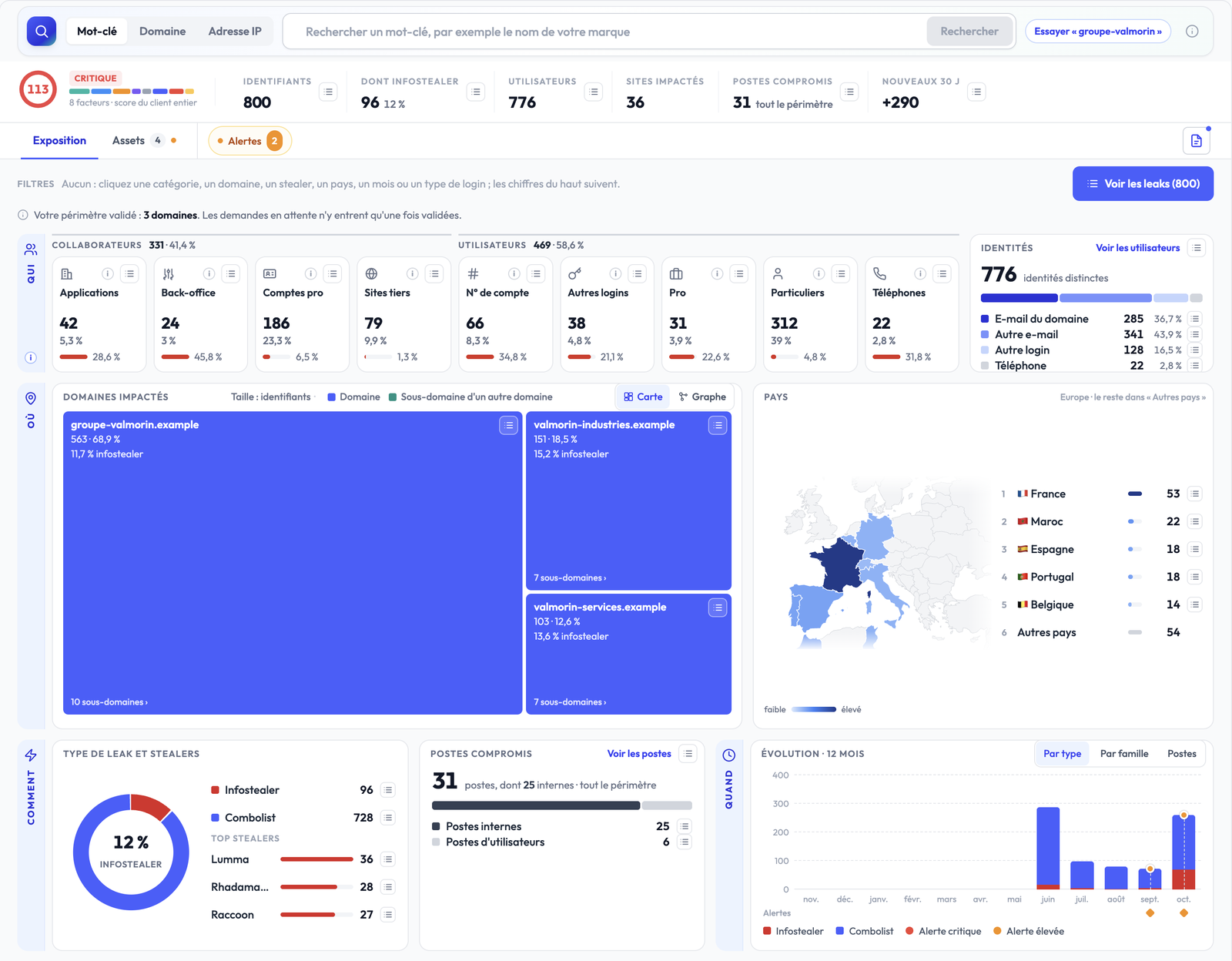
A leaked credential is a signal. Knowing who it belongs to, where it is used, how it leaked and since when is what lets you act. This release rebuilds Stealed around those four questions.
At a glance
- A fully rebuilt cockpit: your whole exposure on one screen.
- Nine automatic categories, on the staff side and the users side.
- Dynamic filters: every figure filters, the whole cockpit follows.
- Redesigned assets, with keyword search and IP ranges.
- Alerts by category, so you hear about what actually matters.
Your whole exposure, at a glance

At the top, the score and the key figures: credentials, share stolen by infostealers, users, sites, compromised machines, what is new over 30 days. Below, four questions: who is exposed, where, how and when.
What it changes: in ten seconds you know how serious it is, what moved and where to start.
Nine categories: the real impact of every leak

Every credential is classified automatically from its login and the site it is used on.
Staff, the people of your organisation:
- Internal applications: an e-mail of your domain, on one of your sites.
- Internal access and back-office: a login to a staff portal (webmail, single sign-on, remote access, intranet) or to an admin page.
- Enterprise accounts: an e-mail of your domain, on a business tool (mail, SSO, collaboration tools).
- Third-party sites: an e-mail of your domain, on any other site.
Users, the customers and visitors of your sites:
- Account numbers: a login made only of digits (account, contract, subscriber).
- Other logins: a nickname, a first.last without a domain, an alphanumeric ID.
- Business users: the e-mail of another organisation.
- Personal users: a personal e-mail (Gmail, Outlook, Yahoo…).
- Phone numbers: a phone number used as a login.
What it changes: a stolen back-office login and a personal customer account do not weigh the same. You know who to warn and where to start.
Every figure is a filter
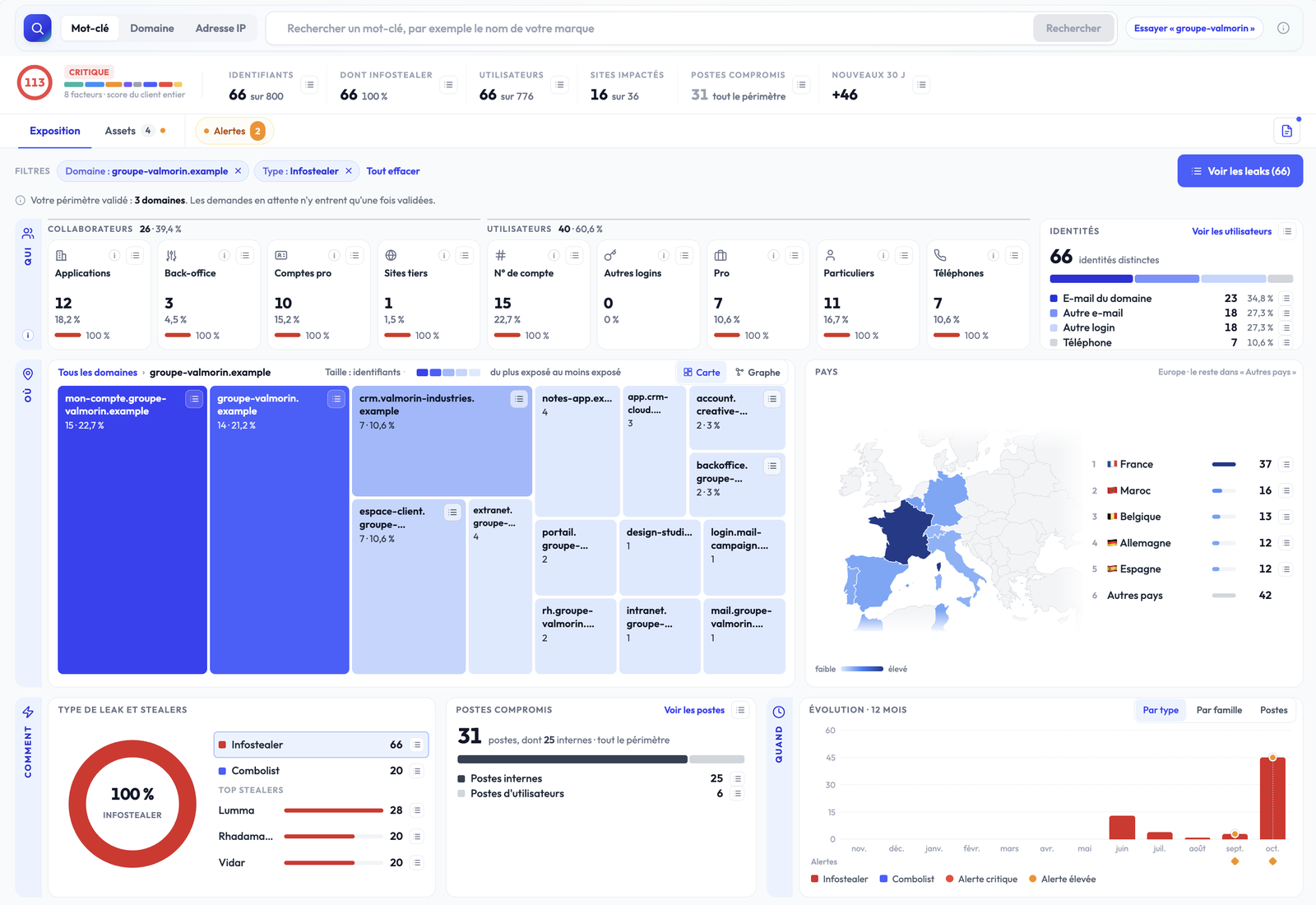
A domain, a category, a stealer, a country, a month: one click and the whole cockpit is recomputed. A clicked domain drills into its sub-domains.
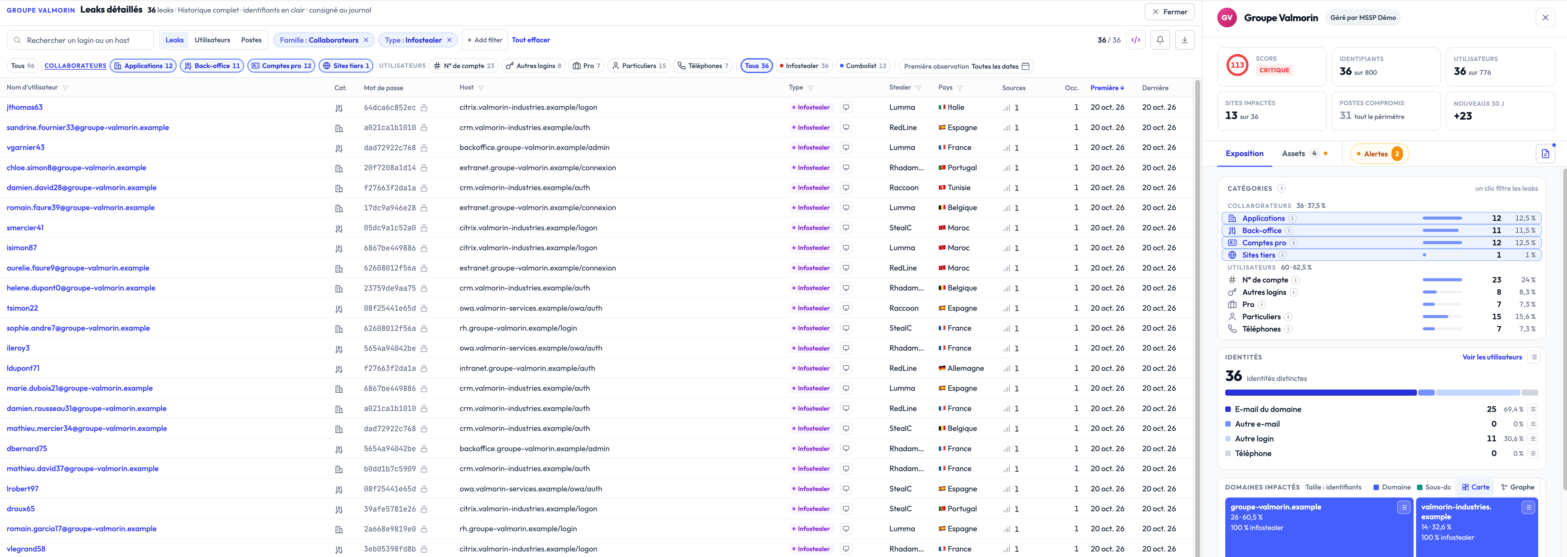
The leak list opens on the same selection, and filters are added there in one click too: a family, a category, a type.
What it changes: “which of my staff’s logins were stolen by infostealers?” takes two clicks. No export, no spreadsheet.
Assets: your perimeter, fully in your hands
Your brand, wherever it shows up
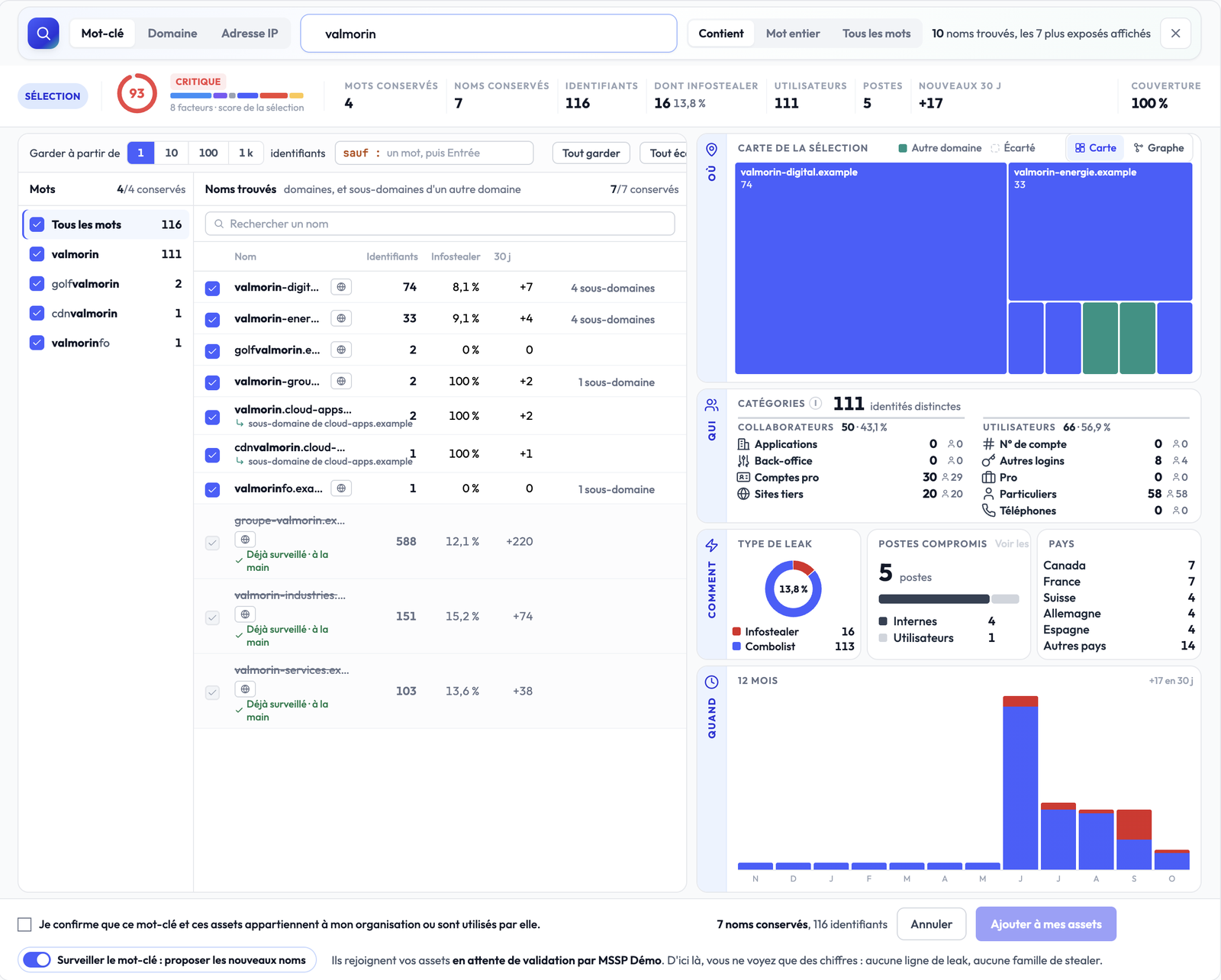
Type your brand name: Stealed finds every domain that carries it, its variants and sub-domains hosted by third parties, with their figures before anything is added. Turn on monitoring for the keyword and new names are suggested every night.
What it changes: a subsidiary’s site, a customer portal at a provider, the forgotten domain: everything that carries your brand comes up.
A perimeter you steer, IP ranges included
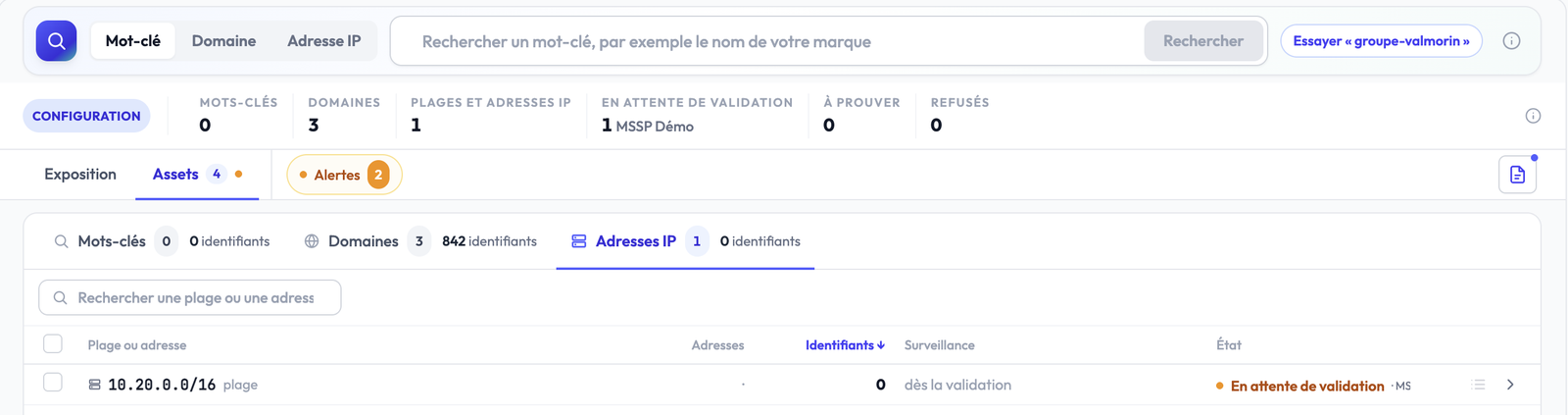
- One bar to add a keyword, a domain, an IP address or range (up to a /8), with the figures before you decide.
- A clear state for every asset: monitored, pending validation, to prove with DNS, or refused with its reason.
- IP ranges cover what has no domain name: VPN gateways, admin interfaces.
- A verified perimeter: until an asset is validated, no leak row is shown.
Alerts on what actually matters
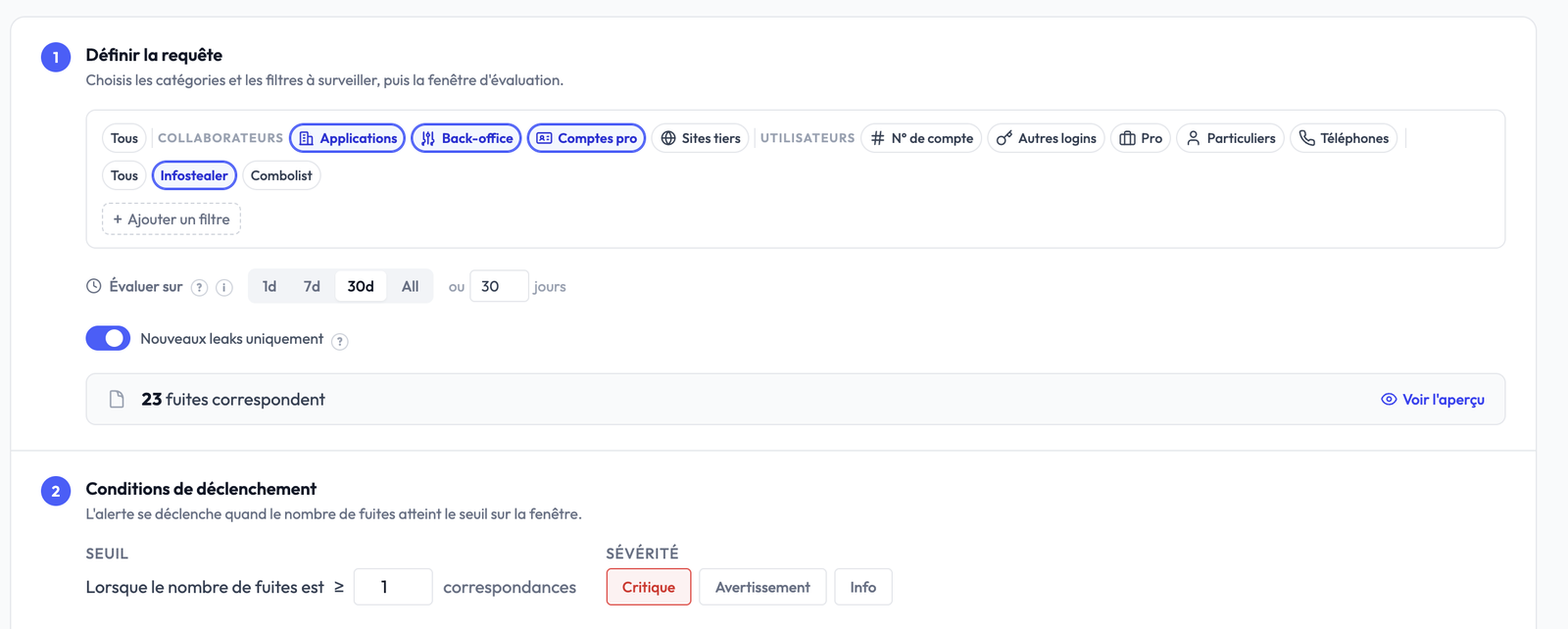
An alert is set by category, narrowed by domain or stealer family, with its threshold and window. It goes out by e-mail, Slack, Microsoft Teams or signed webhook, and shows in the cockpit.
What it changes: warned as soon as an internal login leaks, not for every recycled personal account.
Also
- A fairer exposure score: eight factors, detailed on hover, to see at once what drives your score up.
- Much faster pages, even on large perimeters.
- A clearer interface, easier to read from one screen to the next.
- And a series of smaller improvements across the application.
Availability
Already live in your space: open your cockpit.
Screenshots from a demo space: companies, domains and accounts are fictional.